
Printing Documents
Beginning January of 2019 the college will be using a new print management software for faculty and staff printing named PaperCut.
- Be sure that you are logged into the desktop computer as yourself. From the print
dialog screen on your computer select - Papercut - Ricoh on LPC print SRV 01
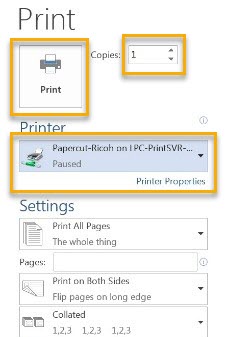
- Choose your settings or open Printing Properties for more printing options
- Select the number of copies
- Click Print icon
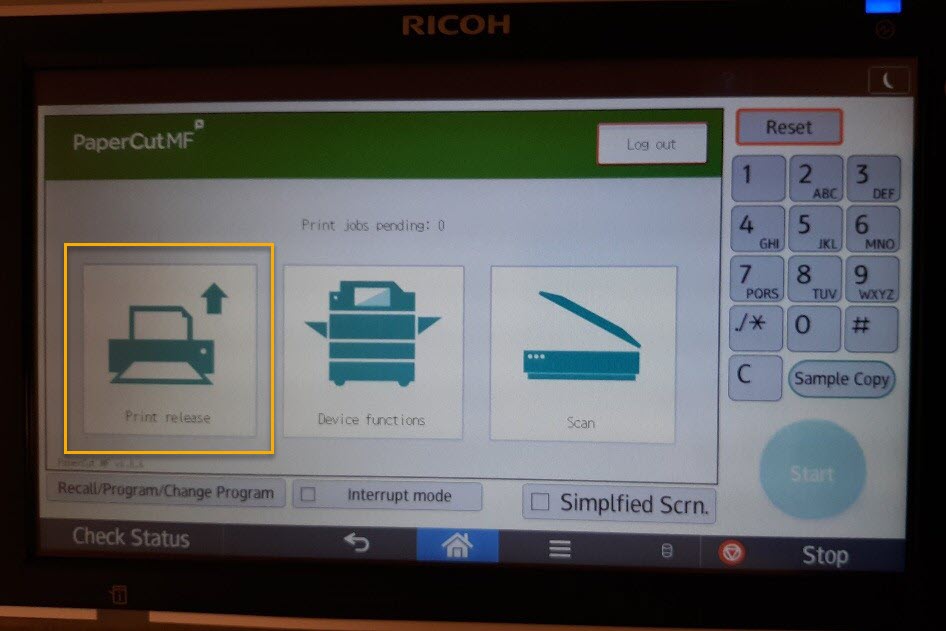
- At the Ricoh device - login (as shown above)
- Select the Print Release icon (on the left)
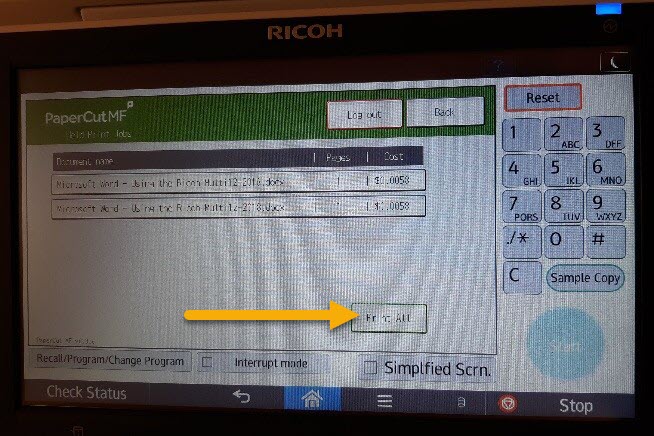
- To print all jobs select the Print All button
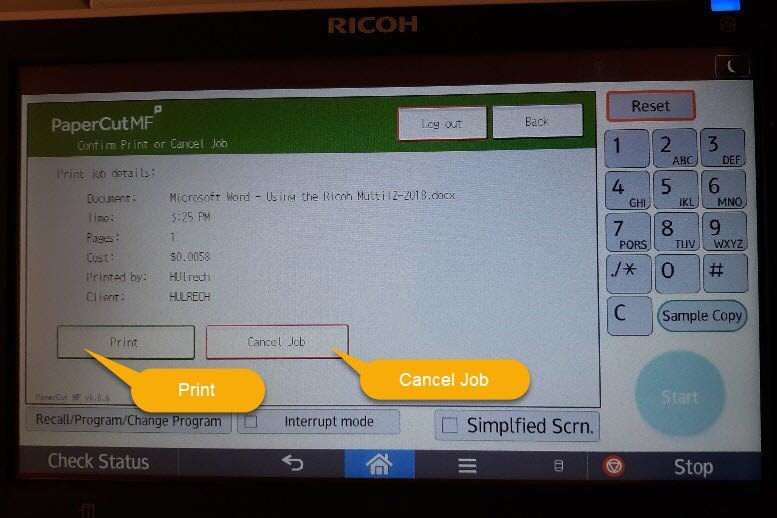
- To print, delete or view information on one job at a time, select the desired job
- Tap on Print or Cancel Job (*Note: jobs will be automatically deleted after 2 days
if not printed)
- To print all jobs select the Print All button
- Logout of the device.